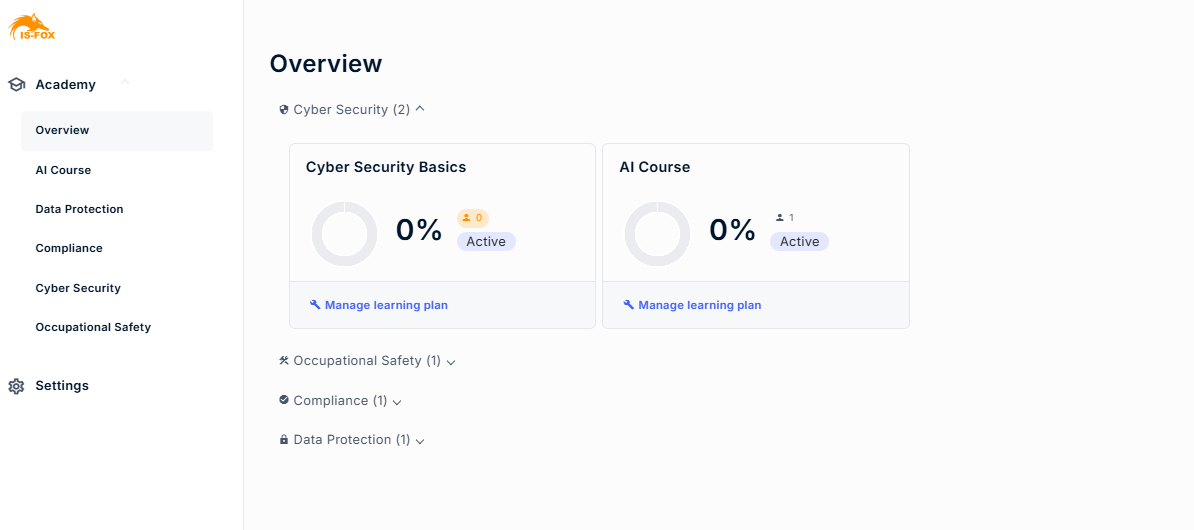
Completion overview dashboard
Learn how to keep track of your trainings, including completion rates, and monitor progress
On the overview page you can review the rate of the trainings' completion.
- Actively enrolled employees: Numbers of employees enrolled in the training. All statuses included (Invited + Started + Completed)
- If the training has no enrolled employees, it is marked in orange.
- Percentage of completion: Number of employees with completed status in relation to actively enrolled employees.
Training status: Active or Scheduled. Scheduled training are configured to start in the future. For more: How do I create a training?